Posts

Photoshop tag brush

Image
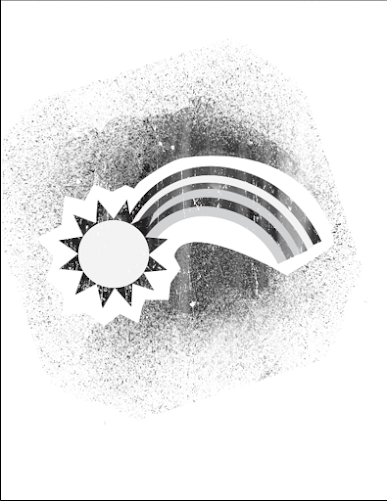
Tag; Brush tag; My brush tag was made from the positivity logo I made on illustrator. My brush tag is the rainbow with the spray and other effects. I really like the way the brush tag looks as a sort of 3D effect. I gave it the 3D effect by putting a blue one down, the putting a red one on top or vice versa. I think my brush tag turned out well and was fairly simple to make.  

Photoshop Tutorials

Image
  Opening images; https://helpx.adobe.com/photoshop/how-to/ps-basics-fundamentals.html This video shows you how to import images into photoshop. The video shows how to import multiple images into photoshop in separate tabs. The video also shows how to open a new blank canvas into photoshop. When opening the new canvas, you can customize the size and other values. You can open a new project without being on the home screen if you just click file new or open. Getting familiar with the work area; https://helpx.adobe.com/photoshop/how-to/ps-basics-fundamentals.html This video goes over the basics of the photoshop interface. It brings up things such as; the menu bar, the options bar, the tool panel, the panels on the right, the document window, and closing an image. The things this video went over seem fairly basic, but essential to know. I have never really used photoshop so this video was important for me to watch. At a first glance I would have thought the only tools on photoshop wer...

Self Portrait Poster

Image
Inspiration; My propaganda self portrait shows a current issue of 2020, which is Coronavirus. My poster is an image of me pointing to the things we can all do to stop the spread of coronavirus. My poster uses the colors black, red, and white. The red in my poster is eye-catching, bringing the viewers eye to the tips for stopping the spread. In my poster I am looking directly at the viewer and pointing, as to tell the viewer look at this, it's important. I have a serious facial expression in the poster.  

Logo

Image
Mood Boards;   Logo Sketches; Logos;  My logo represents my positivity mood board. I would describe myself as a relatively positive person. I try to keep a positive outlook on life. I chose to represent my positivity logo with a sun and a rainbow. I feel like the sun and rainbow are two generally positive things. The sun is bright and gives off a happy mood. A rainbow appears after a storm, bringing happiness and hope.

Calligram Project

Image
          My calligram project is an image of a clock. I decided to make my letter to my future self into a clock to symbolize the time that would have gone by. The letter is written to myself in 20 years, which is a long time from now. Although it probably won't feel that long once i'm there. Time is just a concept which is why I wanted to make my image a clock. When i look back on my life I will not be thinking about all the time that has gone by, I will think of all the memories I have made.            For this project I used the pen tool to make the numbers, such as 2, 4, and 7. I used the curvature tool to make the curves in the numbers like 6, 5, and 2. I used the shape tools, such as the ellipse and rectangle tools, to make the clock outline and the number 1. I also used the vertical type tool for some of the 1s. I used the type on path tool for numbers such as the 9 and 2s. I used the distort envelope tool for the numbers 1,...
Abode Illustrator tutorials

  https://www.youtube.com/watch?time_continue=9&v=M5jOg2iDPeM&feature=emb_title           This video goes over the basics of adobe illustrator. I think things such as drawing, adding shapes, and color may be easy. The options on the right toolbar seem like they are more elaborate and I may find them confusing. The direct selection tool seems easy and looks like something you could play around with. The pencil tool seems easy to use and you could use it to draw images in illustrator. The artboard tool seems like it may be hard to use. https://www.youtube.com/watch?time_continue=8&v=RC3h0F4e0kw&feature=emb_title           This video goes a bit more in depth about using specific tools on adobe illustrator. The vector and handle tools seem like they may be hard for me to figure out how to use. The curve tool seems interesting, it looks like it may require some practice bu...

Canvas Project

Image
          My canvas project is of a butterfly. I wanted my design to have a mosaic like aesthetic for the background. The butterfly is purple and pink while the background is yellow, orange, and blue. This project, although it may not look like it, took me around 12 hours. This project was really hard for me. I had no idea how to code or how to use dreamweaver, so this project was way out of my comfort zone. I'm not really tech savvy so I had to work had on this one. I'm  glad that I had assignment that took me out of my comfort zone, although it wasn't easy. I don't hate the way this turned out, I feel like I did a pretty good job given my technological abilities. I ran into problem during the process but took them as they came up and found a solution. Below is my sketch that I drew inspiration from. My code  /////background context.beginPath();   context.rect(60,0,70,70);  context.closePath();  context.fillStyle = "#FFF636";  co...